01
Cook food in four clear steps
- 1
Choose an available food
Start with an item displayed as available in your current kitchen. Read its price before buying and avoid using an old video as proof that the same item, cost or unlock order still applies after an update.
- 2
Follow the appliance prompt
Carry the food to the equipment identified by the live game prompt. The official description confirms giant toasters and pans, but the current on-screen instruction is the reliable way to decide which station handles the item you are holding.
- 3
Wait for preparation to finish
Keep the item at the active station and follow any visible interaction until the prepared version is ready. Do not assume a fixed timer: Roblox has not published a complete cooking-time table, and timing may change with the experience.
- 4
Add the prepared food to the sandwich
Move the finished food to the sandwich and complete the stacking prompt. The official page connects cooking, stacking and earning, so adding the prepared item completes the loop and gives you a new point for checking the displayed income.
02
What the official page confirms about cooking
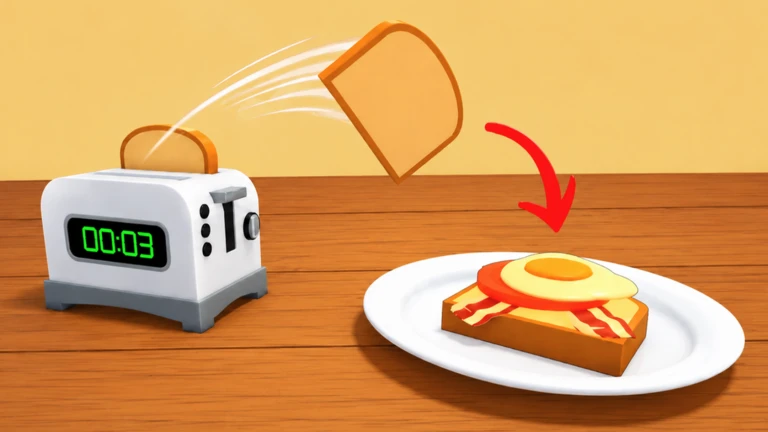
The Roblox experience description defines the reliable sequence: buy big food, cook food in giant toasters and pans, stack the food and generate money from the sandwich. Those points support the overall route without requiring a guessed recipe or hidden rule.
Roblox does not provide a public list matching every ingredient to one appliance. It also does not publish permanent timers, failure conditions or bonuses for cooking. Treat those details as current-session information and follow what the game displays.
This distinction matters when a new item appears or a station changes. A player can still complete the task by reading the live prompt, observing when preparation finishes and confirming that the finished food can be stacked. The method remains useful without assigning an unsupported recipe, duration or reward to the item. If an official source later publishes a recipe table, that source can replace the current unknown status; until then, a visible prompt is evidence for the current action, not proof of a permanent rule for every food or future version.
03
How to choose the correct station
Use the item in your hands and the nearest visible instruction as your source of truth. If the game points toward a toaster, use that prompt; if it points toward a pan, move to the pan. This keeps the guide useful even when the available foods change.
If no interaction appears, check that the item was purchased successfully, move close enough to the station and read the current prompt again. Avoid repeatedly trying random equipment based on an undated list because that can hide a simple positioning or item-state problem.
04
Check the result after cooking
Cooking is not the end of the progression step. The official loop continues by stacking the prepared food on the sandwich. Finish that action before deciding whether the item changed your income or helped with your next goal.
Record the displayed income before buying and again after the prepared item is added. This observation does not create an official formula, but it gives you current values that can be compared in the earnings calculator without inventing a universal food ranking.
05
What to do when an update changes the kitchen
The Roblox Games API recorded a new experience update on July 28, 2026, without public numbered patch notes. Because exact ingredient and appliance behavior is not documented, recheck the live prompts after any metadata update instead of assuming an older route is unchanged.
If a station, timer or item order differs from this guide, prefer the current game screen. The durable advice is the verified buy, cook, stack and earn sequence; specific values remain unknown until an official source publishes them.
Practical tips
- Read the current prompt before moving an item.
- Record cost and income before starting the loop.
- Finish stacking before judging the result.
- Recheck appliance behavior after an update.
Common mistakes
- Treating an old appliance list as permanent.
- Assuming every food uses the same station.
- Stopping after cooking without stacking the item.
- Publishing a timer that Roblox has not confirmed.
FAQ
Frequently asked questions
How do you cook food in My Giant Sandwich?
Buy an available food, carry it to the toaster or pan indicated by the current game prompt, complete the visible interaction and add the prepared item to your sandwich.
Does every food use the toaster?
Roblox confirms both giant toasters and pans but does not publish a complete appliance chart. Follow the prompt shown for the item in your current session.
How long does cooking take?
No complete official cooking-time table has been published. Use the visible timer or progress shown by the current station and recheck it after updates.
What should I do after cooking food?
Take the prepared food to the sandwich and stack it. The official description connects that completed loop with generating money from the sandwich.